

TL;DR:
- Submitting complete, clearly named, unprotected PDFs through your lender's secure portal speeds up underwriting and avoids delays. Consistent file naming, high scan quality, and prompt responses to conditions are essential for a smooth mortgage approval process. Using secure methods like the lender's portal and following exact document instructions ensures faster review and reduces missing-document requests.
To submit mortgage files successfully, upload complete, clearly scanned, non-password-protected PDFs to your lender's secure portal, name each file consistently, and confirm receipt with your loan officer. That's the whole game. Everything below shows you how to execute each step without triggering a missing-document notice that stalls your closing.
Start here — your immediate submission checklist:
- Upload to your lender's secure portal first. If you don't have portal access, ask your loan officer for a secure upload link before sending anything by email.
- Submit these four documents first: government-issued photo ID, two most recent pay stubs, two most recent bank statements (all pages), and the signed purchase contract if you're buying.
- Name every file using this pattern: LastName_FirstName_DocType_Date.pdf (example: Smith_Jane_PayStub_2026-05.pdf).
- Remove all password protection from PDFs before uploading. Password-protected files routinely block automated review workflows.
- After uploading, send your loan officer a short email listing every file you submitted and ask for written confirmation of receipt.
If your lender only accepts email: Ask specifically for a secure email portal or encrypted link. Avoid attaching sensitive documents to a standard Gmail or Outlook message. As a temporary workaround, compress files into a password-protected ZIP and share the password in a separate message — but push for a proper portal as soon as possible.
According to Fannie Mae guidance, complete loan file submissions reduce review time and cut down on missing-document requests. The checklist above is not bureaucratic overhead. It's the difference between a smooth underwriting process and a two-week delay.
Pro Tip: Submit your four priority documents as soon as possible after receiving your loan officer's document request. Underwriting queues move faster for complete files, and early submission gives you time to fix any issues before your rate lock expires.
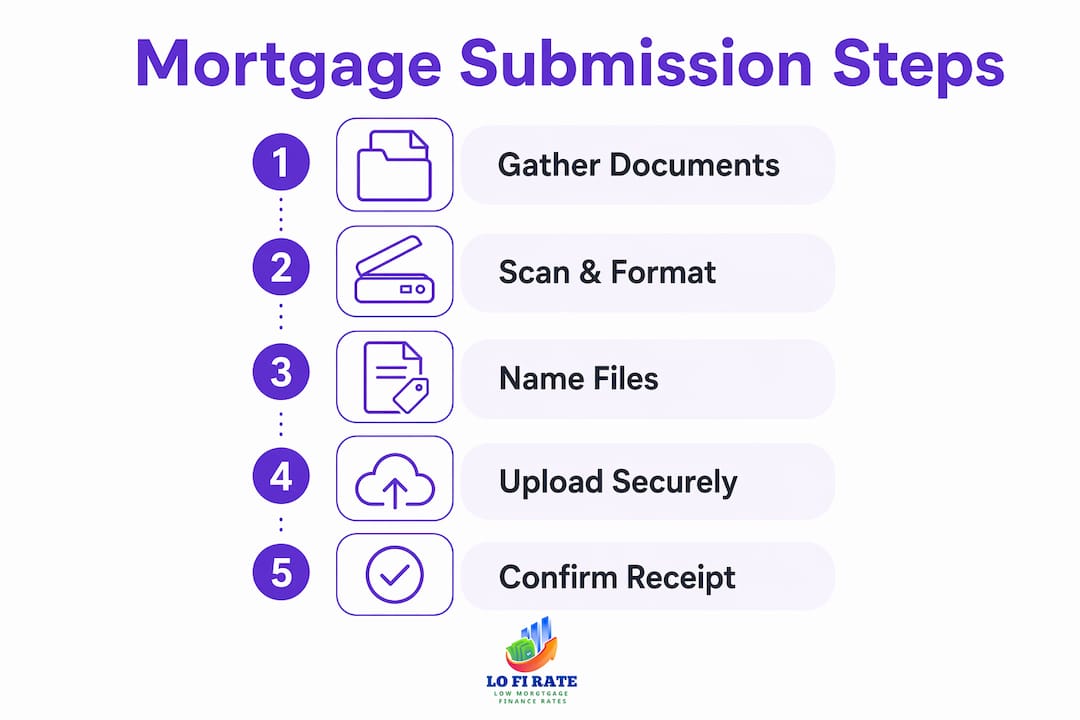
Table of Contents
- 1. What documents do lenders typically require?
- 2. How to scan, format, and name your files so underwriters can use them
- 3. Which submission method is actually secure?
- 4. What happens after you submit your mortgage files?
- 5. Top mistakes that delay approvals and how to fix them today
- 6. Ready-to-use templates for your mortgage file submission
- Key Takeaways
- The part most borrowers overlook
- How Lofirate helps you get to closing faster
- Authoritative sources and further reading
1. What documents do lenders typically require?
Lenders verify four things: who you are, how much you earn, what you own, and what you owe. Every document on their list maps to one of those four questions. Knowing that makes the list feel less arbitrary.
Income verification
- W-2s: Most recent two years, from all employers.
- Pay stubs: Two most recent, covering at least 30 days of earnings.
- 1099s and tax returns: Required if you're self-employed, a contractor, or have rental income. Lenders typically want two years of federal returns, all schedules included.
- Profit-and-loss statement: Self-employed borrowers usually need a year-to-date P&L prepared by a CPA or signed by the borrower.
- Schedule K-1s: Required if you receive income from a partnership or S-corp.
Employment verification
- Employer name, address, and phone number (lenders may call to verify).
- Offer letter if you recently changed jobs or are starting a new position before closing.
- Written Verification of Employment (VOE) if your lender requests it directly.
Asset verification
- Bank statements: Two most recent months, all pages including any blank ones. Missing page 4 of 4 is one of the most common delay triggers.
- Retirement and investment account statements: Most recent two months or most recent quarterly statement.
- Gift letter: Required if any portion of your down payment is a gift. The letter must state the funds are not a loan and include the donor's relationship to you.
- Source-of-funds documentation for any large deposit that appears in the last 60 days.
Debt and credit
- Authorization to pull your credit report (signed at application).
- Written explanation for any late payments, collections, or judgments.
- Court documents if a judgment or bankruptcy appears on your credit history.
Property documents
- Fully signed purchase contract with all addenda.
- Proof of earnest money deposit (canceled check or wire confirmation).
- Homeowners insurance binder or declaration page.
- HOA contact information and current dues statement if applicable.
- Title commitment if already available from the title company.
Identification and legal
- Government-issued photo ID (driver's license or passport).
- Social Security number (provided at application).
- Divorce decree, separation agreement, or name-change documents if your legal name differs from your ID.
The document mix shifts depending on your loan type. Here's a quick reference:
| Document | Purchase | Refinance | Self-Employed Borrower |
|---|---|---|---|
| W-2s (2 years) | Required | Required | Required |
| Pay stubs (2 most recent) | Required | Required | May substitute P&L |
| Federal tax returns (2 years) | Sometimes | Sometimes | Always required |
| Schedule K-1s | If applicable | If applicable | Often required |
| Signed purchase contract | Required | Not applicable | Required |
| Bank statements (2 months) | Required | Required | Required |
| Gift letter | If applicable | Rarely | If applicable |
| Profit-and-loss statement | Not required | Not required | Required |
| Homeowners insurance binder | Required | Required | Required |
Pro Tip: Short on time? Prioritize your ID, two most recent pay stubs, and two months of bank statements. Those four items unlock the underwriter's ability to start the file. Everything else can follow within 24–48 hours.
2. How to scan, format, and name your files so underwriters can use them
Poor scan quality is the single most avoidable cause of re-requests. An underwriter who can't read a bank statement will send it back, and that exchange costs you days.
File format and settings
- Save everything as a PDF. Lender portals commonly accept PDF, PNG, JPG, JPEG, and TIF, but PDF is the standard that travels cleanest through automated review systems.
- Use standard 8.5 x 11-inch page size. Oversized or rotated pages create display problems in document management systems.
- For Fannie Mae's Loan Quality Connect, loan files must be a single PDF and may be up to 400 MB. For most retail lender portals, keep individual files under 25 MB and split larger packages if needed.
- Freddie Mac recommends delivering documents stacked in one bookmarked PDF with clear, legible imagery.
Scan quality
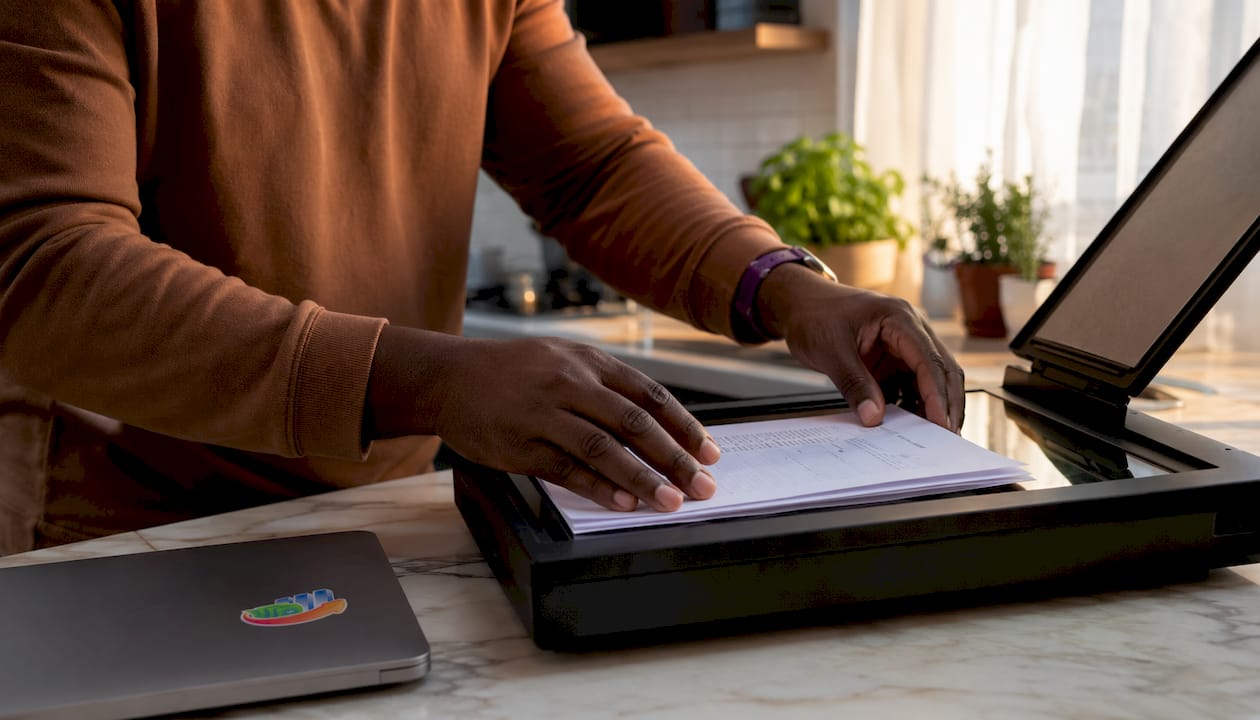
- Scan at 300 dpi minimum. This is the floor for readable text; anything lower produces blurry numbers that fail review, as detailed in this Guía para subir documentos de préstamo en México focusing on scan-quality best practices.
- Avoid smartphone photos unless the lighting is perfect and the entire page is flat and in frame. A curled corner or shadow over account numbers will get the document rejected.
- Check every page: no cut-off edges, no fingers in the frame, no glare on glossy statements.
Remove passwords before uploading
This step trips up more borrowers than any other. Open the PDF in Adobe Acrobat or a free tool like Smallpdf, go to File > Properties > Security, and set security to "No Security." Automated review systems cannot open protected files, and the upload may appear successful even when the file is unreadable on the lender's end.
File naming convention
Copy this pattern exactly:
LastName_FirstName_DocType_Date.pdf
Sample file names:
Smith_Jane_PayStub_2026-05.pdfSmith_Jane_BankStatement_Chase_2026-04.pdfSmith_Jane_W2_2025.pdfSmith_Jane_PurchaseContract_2026-06.pdf
Consistent naming matters because automated aggregation systems may merge multiple uploads into one file. If your files are named "scan001.pdf" and "document_final_v2.pdf," the merged result is nearly impossible to navigate.
When to bundle vs. upload individually
Combine all pages of a single document (e.g., a 12-page bank statement) into one PDF. Upload separate document types as separate files. Don't combine your pay stub and your W-2 into one file — lenders index documents by type, and mixed files slow indexing.
Pro Tip: After saving your PDFs, open each one and try to select text with your cursor. If the text is selectable, the file is OCR-readable and will move through automated systems faster. If it's just an image, run it through a free OCR tool like Adobe Acrobat's "Recognize Text" feature before uploading.
3. Which submission method is actually secure?
The method you use to send documents matters as much as the documents themselves. Sensitive financial data sent over unsecured channels is a real exposure risk, and some methods will also cause your loan officer to never actually receive the file.
Ranked from most to least preferred:
- Lender's secure portal — The right answer almost every time. Portals log timestamps, confirm receipt automatically, and keep your documents inside the lender's compliance environment. Lenders commonly provide a portal or task list where borrowers upload only assigned documents, with guidance on acceptable file types and size limits.
- Secure upload link (one-time access) — Acceptable when the lender sends you a unique, expiring link. Confirm the link comes from an official lender email domain before uploading anything.
- Encrypted email portal — Some lenders use services like Citrix ShareFile or Docusign Rooms. These are fine. A standard email attachment to a Gmail or Outlook address is not the same thing.
- Fax (as a last resort) — Still used by some community banks and credit unions. Confirm the receiving fax number is a secure, monitored line.
What to avoid
- Standard email attachments with unencrypted PDFs. A forwarded email exposes your Social Security number and account numbers to anyone in the chain.
- Public cloud links (Google Drive, Dropbox) without access controls or expiration dates. Anyone with the link can open the file.
- SMS photo messages. Images sent by text are compressed, often unreadable, and completely unsecured.
- Password-protected PDFs as a security measure. Counterintuitively, this creates a problem: the lender can't open the file, and you've only added friction without real protection.
Confirming receipt
After every upload, send a brief email to your loan officer listing the files submitted and asking for confirmation. Don't assume the portal's success screen means the documents are in the underwriter's queue. Portals can have processing delays, and a quick confirmation email creates a paper trail.

Pro Tip: When a lender asks for your Social Security number on a document, check whether they need the full number or just the last four digits. For many verification purposes, a partial SSN is sufficient. Redact the first five digits using Adobe Acrobat's redaction tool before uploading — but only when the lender has confirmed a partial number is acceptable for that specific document.
4. What happens after you submit your mortgage files?
Submitting your documents is not the finish line. It's the starting gun for underwriting, and understanding what comes next keeps you from going quiet at exactly the wrong moment.
The typical milestone sequence
- Submission acknowledged (Day 1–2): Your loan officer or the portal confirms receipt. If you don't hear anything within 48 hours, follow up.
- Underwriting review begins (Day 3–7): The underwriter opens the file, checks completeness, and begins verifying income, assets, and credit. This is where missing pages and poor scans surface.
- Conditions issued (Day 5–14): The underwriter issues a list of conditions — additional documents or clarifications needed before approval. This is normal, not a red flag.
- Borrower cures conditions (Day 1–5 after receipt): You gather and submit the requested items. Speed here directly affects your closing date.
- Clear to close (after all conditions satisfied): The underwriter signs off, and you move to final closing disclosures and scheduling.
Why lenders re-request documents
Pay stubs and bank statements can become outdated during underwriting. If your closing date shifts by three or four weeks, the lender will ask for updated versions. This isn't a sign of trouble — it's a routine control. Anticipate it and keep your most recent statements saved and ready to upload.
Credit inquiries made after your initial application can also trigger re-verification. Don't open new credit accounts, finance a car, or make large purchases between application and closing.
Responding to missing-document notices
Treat every missing-document notice as urgent. Fannie Mae guidance suggests responding to document requests within 10 calendar days. For borrowers, a practical target is 48–72 hours. The faster you respond, the less likely your rate lock or closing date is affected.
When you receive a condition, contact your loan officer first — not the underwriter directly. Ask specifically what the underwriter needs and in what format. Submitting the wrong version of a document wastes another cycle.
For a deeper look at how each stage connects, the mortgage process explained covers the full origination timeline from application through closing.
5. Top mistakes that delay approvals and how to fix them today
Most underwriting delays trace back to a short list of avoidable errors. Here's what causes them and what to do the moment you catch one.
The most common submission mistakes
- Pixelated or unreadable scans. A smartphone photo taken at an angle, in low light, or with a shadow across the page will fail review.
- Password-protected PDFs. Already covered, but worth repeating: this is the single most common technical rejection.
- Missing pages. A bank statement that says "Page 3 of 5" and only includes pages 1, 2, and 4 will come back immediately.
- Wrong date ranges. Lenders typically want the two most recent months. Submitting statements from six months ago, or a pay stub from last year, triggers a re-request.
- Unexplained large deposits. Any deposit that isn't clearly payroll will require a written explanation and supporting documentation (sale receipt, transfer record, gift letter).
- Duplicate uploads. Uploading the same document twice under different names confuses automated indexing and can make it appear as though you submitted conflicting information.
- Inconsistent file names. "final_final_bankstatement.pdf" tells an underwriter nothing and makes it harder to locate documents in a merged file.
Quick fixes you can do right now
- Rescan any document that looks blurry on your screen at 300 dpi, flat on a scanner bed.
- Open every PDF, go to security settings, and confirm "No Security" before re-uploading.
- Count the pages on every multi-page document and verify your PDF matches the total.
- Check the date on every pay stub and bank statement against the lender's requested date range.
- Write a brief cover letter (two to three sentences) for any large deposit, identifying the source and attaching supporting documentation.
- Delete duplicate files from the portal if the system allows it, or notify your loan officer so they can flag the correct version.
Pro Tip: Ask your loan officer to tell you the top three documents that come back incomplete most often for your loan type. That five-minute conversation saves more time than any checklist. Document requests are regulatory controls, not busywork — asking "why" often resolves the issue faster than guessing at what the underwriter needs.
When you receive a missing-doc notice, follow this sequence:
- Read the notice carefully and identify exactly which document and which date range is needed.
- Contact your loan officer within 24 hours to confirm the requirement.
- Gather, scan, name, and upload the document using the conventions above.
- Send a confirmation email with the file name and upload timestamp.
- Log the date of submission and the expected response window (48–72 hours is a reasonable ask).
6. Ready-to-use templates for your mortgage file submission
These templates are designed to be copied, adapted, and used immediately. Adjust the bracketed fields for your situation.
Printable submission checklist
For purchase loans:
- Government-issued photo ID
- Two most recent pay stubs
- W-2s, two most recent years
- Federal tax returns, two most recent years (if self-employed or required)
- Two most recent bank statements, all pages
- Retirement/investment account statements
- Signed purchase contract with all addenda
- Earnest money proof (wire confirmation or canceled check)
- Homeowners insurance binder
- Gift letter (if applicable)
- Large deposit explanation letters (if applicable)
- Divorce decree or name-change documents (if applicable)
For refinances, replace the purchase contract and earnest money items with:
- Current mortgage statement
- Homeowners insurance declaration page
- Most recent property tax statement
Self-employed borrowers add:
- Business and personal federal tax returns, two years
- Year-to-date profit-and-loss statement
- Schedule K-1s (if applicable)
- Business bank statements, two most recent months
Sample file name templates
| Document | File Name Template | Example |
|---|---|---|
| Pay stub | LastName_First_PayStub_YYYY-MM.pdf | Smith_Jane_PayStub_2026-05.pdf |
| Bank statement | LastName_First_Bank_BankName_YYYY-MM.pdf | Smith_Jane_Bank_Chase_2026-04.pdf |
| W-2 | LastName_First_W2_YYYY.pdf | Smith_Jane_W2_2025.pdf |
| Tax return | LastName_First_TaxReturn_YYYY.pdf | Smith_Jane_TaxReturn_2025.pdf |
| Purchase contract | LastName_First_PurchaseContract_YYYY-MM-DD.pdf | Smith_Jane_PurchaseContract_2026-06-15.pdf |
| Gift letter | LastName_First_GiftLetter_DonorName.pdf | Smith_Jane_GiftLetter_JohnSmith.pdf |
Email template: confirming document submission
Subject: Mortgage File Submission Confirmation — [Your Full Name] / [Property Address]
Hi [Loan Officer Name],
I've uploaded the following documents to the portal today, [Date]:
- Smith_Jane_PayStub_2026-05.pdf
- Smith_Jane_Bank_Chase_2026-04.pdf
- Smith_Jane_W2_2025.pdf
- Smith_Jane_PurchaseContract_2026-06-15.pdf
Please confirm receipt and let me know if anything is missing or needs to be resubmitted. I'm available at [phone/email] and can turn around additional documents within 24 hours.
Thank you, [Your Name]
For self-employed borrowers, add your P&L and business tax returns to the manifest and note the preparer's name next to the P&L line. Lenders sometimes want to confirm the document was prepared by a licensed CPA rather than self-generated.
Key Takeaways
Submitting mortgage files correctly the first time requires complete, clearly named, non-password-protected PDFs uploaded to your lender's secure portal, with immediate follow-up to confirm receipt.
| Point | Details |
|---|---|
| Portal first, always | Upload to your lender's secure portal; avoid standard email attachments for sensitive documents. |
| PDF quality is non-negotiable | Scan at 300 dpi, include all pages, and remove password protection before every upload. |
| Name files consistently | Use the LastName_FirstName_DocType_Date.pdf pattern so automated systems can index your documents correctly. |
| Respond to conditions fast | Treat every missing-document notice as urgent; a 48–72 hour turnaround protects your rate lock and closing date. |
| Lofirate connects you to brokers | Lofirate matches homebuyers with licensed wholesale brokers who can guide document requirements and help compare rates across multiple lenders. |
The part most borrowers overlook
The mortgage file submission process gets treated like a paperwork chore, and that framing causes most of the delays. Every document a lender requests exists because an underwriter needs to verify a specific fact before committing to a loan. When you understand that, the whole process shifts from reactive to proactive.
The borrowers who close fastest aren't the ones with the cleanest credit scores. They're the ones who submit complete files on the first attempt, respond to conditions within 24 hours, and keep their loan officer informed at every step. Organization is the actual competitive advantage here.
One thing that rarely gets mentioned: the quality of your broker relationship affects how smoothly the document process runs. A wholesale broker who works with multiple lenders knows which lenders have stricter documentation standards, which portals are easier to navigate, and which conditions are likely to come up for your specific loan profile. That knowledge saves real time. Understanding mortgage compliance requirements gives you the background to ask better questions and catch issues before they become delays.
The file-naming convention and the confirmation email feel like small things. They're not. Consistent naming prevents documents from getting lost in automated merges, and a written confirmation creates a record that protects you if there's ever a dispute about what was submitted and when.
How Lofirate helps you get to closing faster
Getting your documents organized is half the battle. The other half is making sure you're working with the right lender at the right rate in the first place.

Lofirate connects homebuyers and homeowners with licensed wholesale mortgage brokers who shop multiple lenders on your behalf, not just one retail bank's product shelf. That means you get a second opinion on your rate before you're locked in, and a broker who knows exactly which documents each lender will require for your loan type. No obligation, no cost to connect.
If you're mid-process and wondering whether your current rate is competitive, or if you're just starting out and want a broker who can walk you through the document requirements by loan type, Lofirate's broker matching service is the right next step. Visit lofirate.com/services to get matched with a licensed broker in your state.
Authoritative sources and further reading
The guidance in this article draws from primary regulatory and lender sources. When your lender's specific instructions differ from general guidance, follow your lender's instructions.
- Consumer Financial Protection Bureau (CFPB): Submit documents and answer requests from the lender — plain-language overview of what lenders request and why, written for borrowers.
- Fannie Mae Selling Guide: Fannie Mae QC File Request and Submission Requirements — the authoritative source on file completeness, naming protocols, and electronic submission standards for conventional loans.
- Fannie Mae Quality Insider: Complete Loan Files = Faster Reviews and Fewer Delays — covers file validation, password rules, naming conventions, and missing-document response timelines.
- Freddie Mac Single-Family: Specifications for Electronic File Delivery for QC Loan File Reviews — technical specifications for PDF delivery, bookmarking, legibility, and password prohibition.
- Fannie Mae Loan Quality Connect: Providing Files/Documents for Review — job aid covering single-PDF upload requirements, the 400 MB file size limit, and naming conventions.
- Bank of America: How to Apply for a Mortgage — consumer-facing overview of application channels and documentation requirements.
Follow lender-specific instructions above all else. Fannie Mae, Freddie Mac, and the CFPB set the floor for documentation standards. Your lender may require additional documents, specific formats, or different submission channels. When in doubt, call your loan officer before uploading.
This article is general information for educational purposes. Mortgage documentation requirements vary by loan type, lender, and individual borrower circumstances. Confirm current requirements with your lender or a licensed mortgage professional before submitting your file.